JetBrains Academy Course Catalog
Privacy & SecurityTerms of UseTrademarksLegalGenuine Tools
© 2000—2026 JetBrains s.r.o. All rights reserved. Developed with drive and IntelliJ IDEA
Tag logoSkill PathJetBrains Academy

Build and Deploy Custom LLMs with Python and AWS

Learn to code in Python, train models with Amazon SageMaker, and launch Bedrock-powered chatbots/RAG assistants in one guided Skill Path.

Beginner
7 courses
25 hours ~
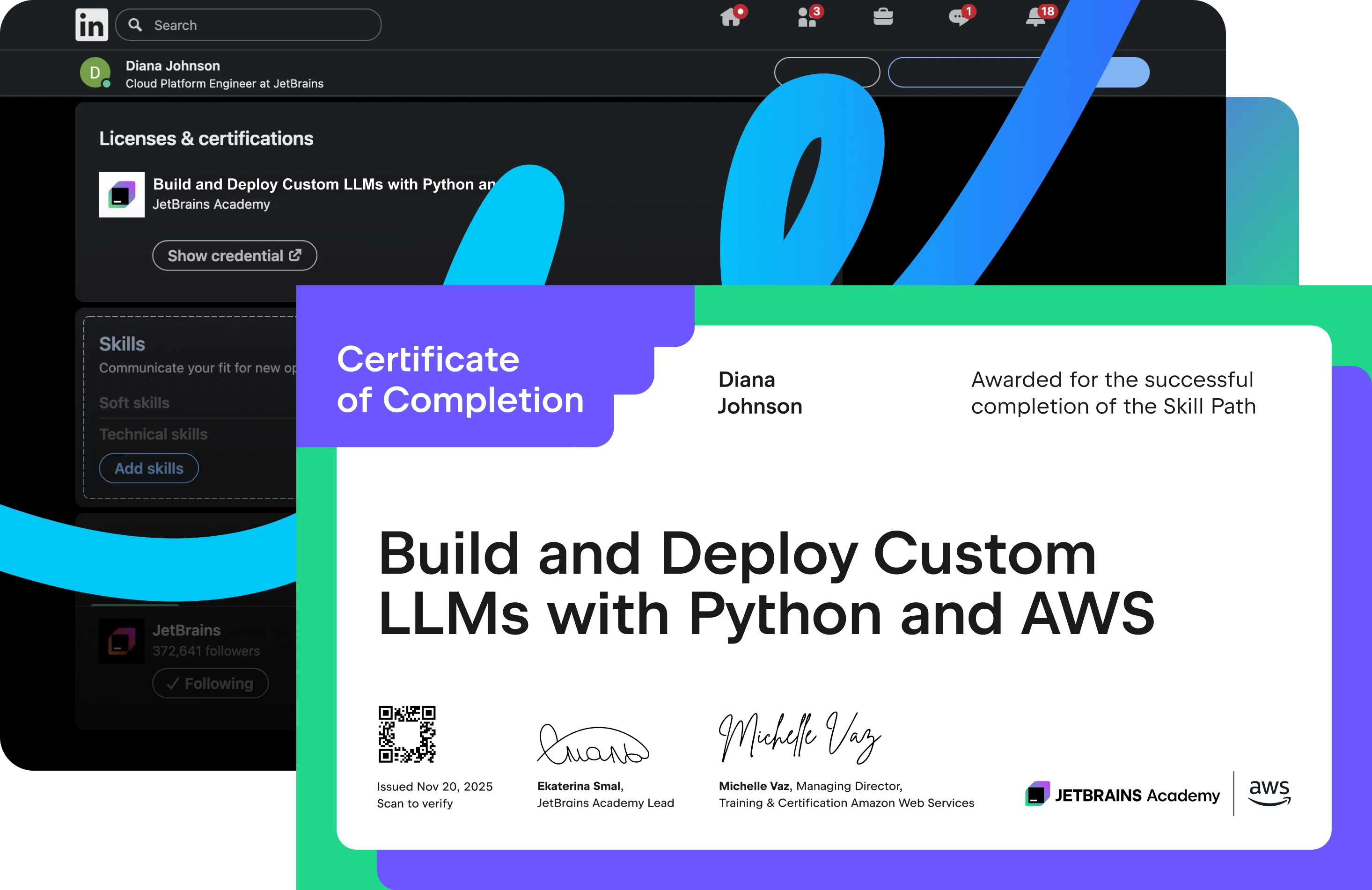
Certificate of completion
Beginner
7 courses
25 hours ~
Certificate of completion

About

This Skill Path takes you from NumPy and prompt engineering foundations to building real GenAI apps on AWS.

Code inside your JetBrains IDE, spin up GPU clusters with Amazon SageMaker HyperPod, fine-tune and align models with Bedrock, and then wrap everything in a LangChain API. Every Lab runs in an AWS sandbox, so you never risk getting surprise charges.

By the end, you’ll have:

  • A custom-trained LLM endpoint on AWS that you can query or embed in apps.
  • Reusable notebooks, Docker images, and CI/CD scripts that prove you have real MLOps experience.
  • A joint JetBrains and AWS certificate proving your GenAI engineering and cloud-ML expertise.

AWS icon

What is a Skill Path?

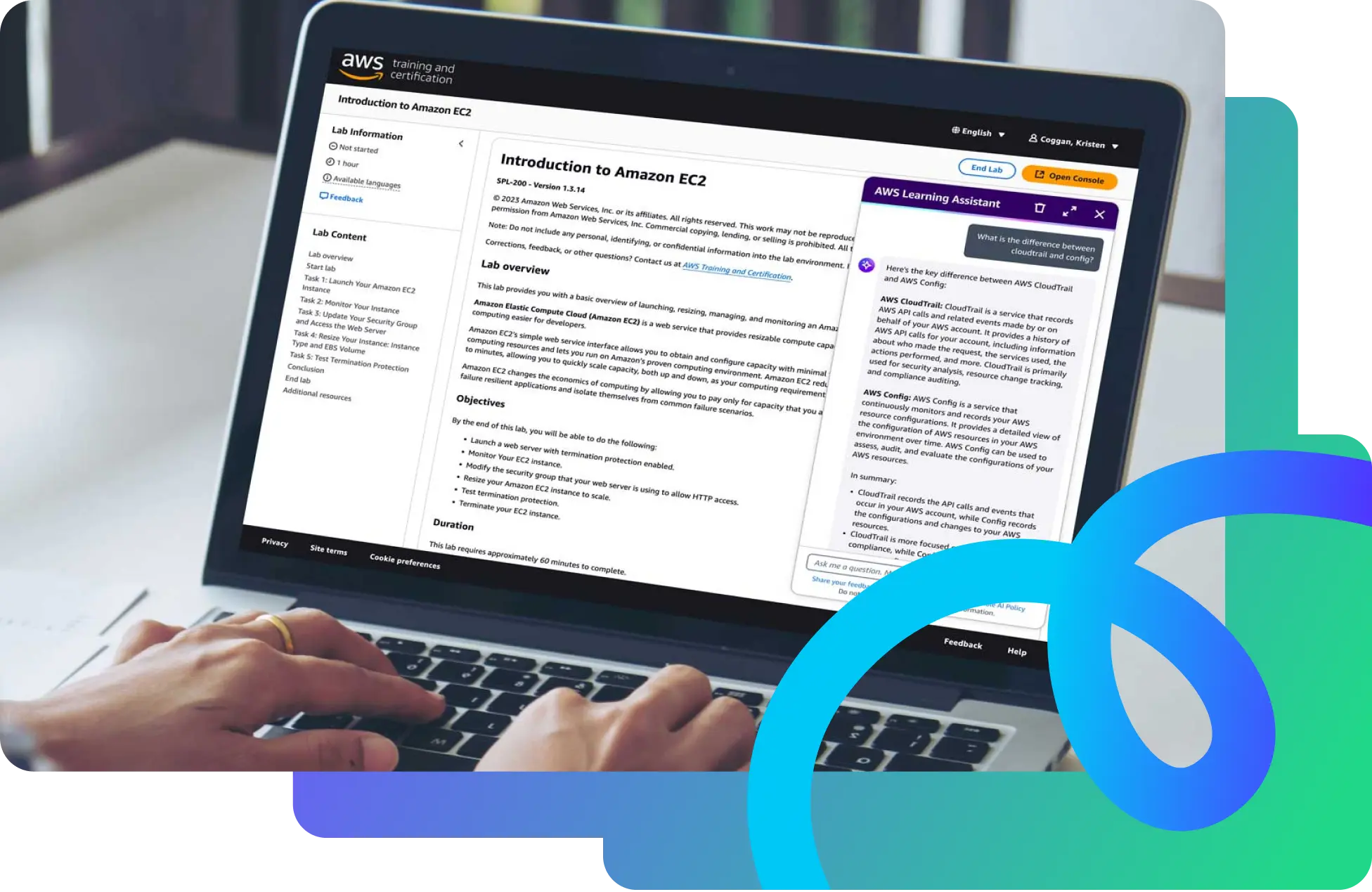
Built in collaboration with AWS, Skill Paths are integrated learning journeys that combine JetBrains IDE projects, AWS video lessons, and hands-on cloud Labs to give you real-world practice.
Content

1

Python Libraries – NumPy

In-IDE course

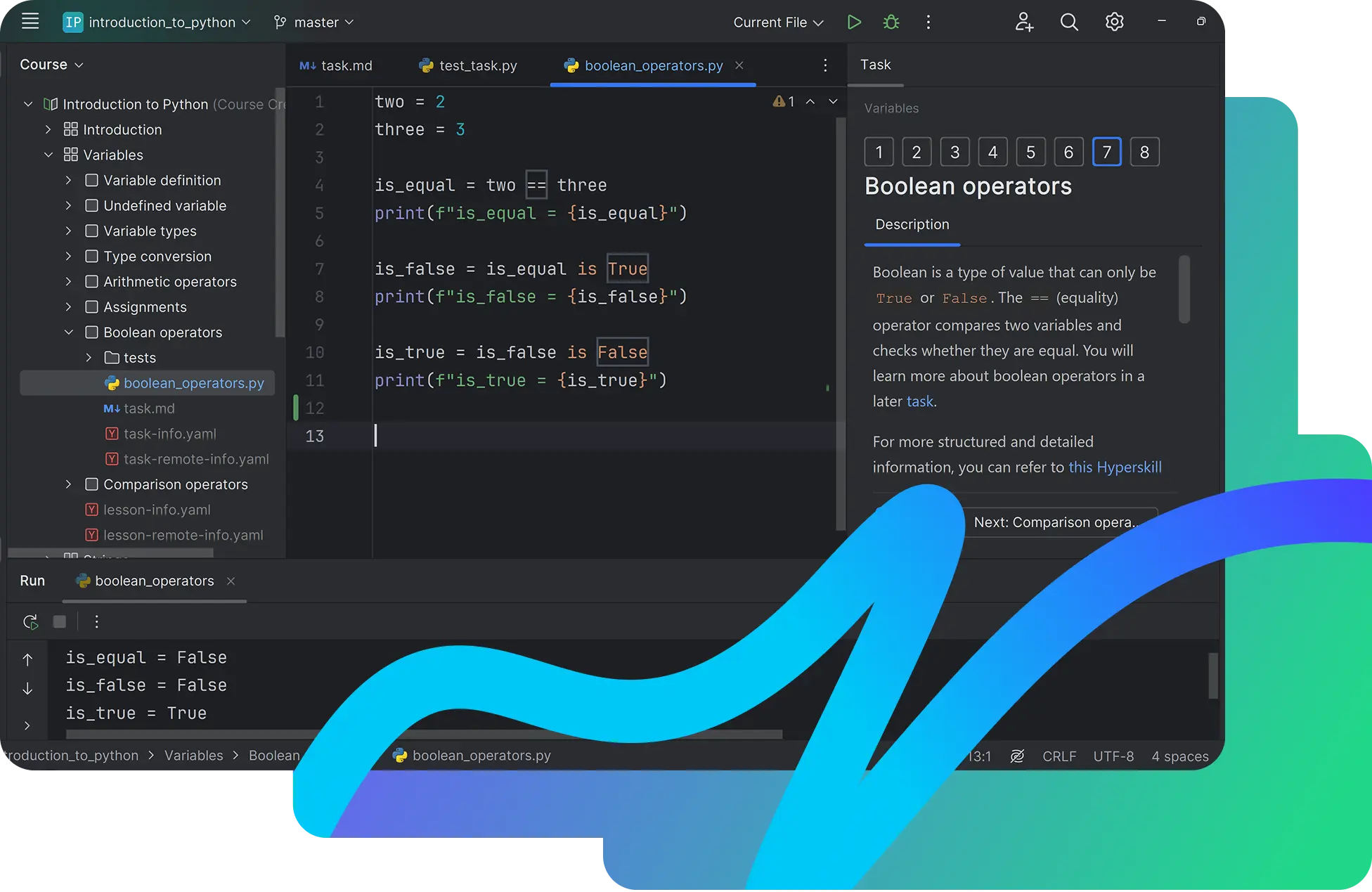
Intro to NumPy for learners with basic Python skills. Learn how ndarrays work, perform common operations (indexing, slicing, broadcasting, vectorization), and explore practical uses. The course is hands-on with examples and exercises, and follows the official NumPy documentation.

2

Foundations of Prompt Engineering

AWS course

Learn how to design effective prompts for foundation models – from core principles and best practices to advanced techniques. You’ll cover zero-shot and few-shot approaches, choose model-appropriate strategies, and practice guarding against prompt misuse. The course also shows how to detect bias in FM responses and craft prompts that mitigate it, with interactive eLearning throughout.

3

Mastering Large Language Models

In-IDE course

Get a comprehensive hands-on experience, starting with NLP basics, and moving on to advanced topics like fine-tuning, text generation, and more. This course combines theoretical understanding with extensive practical implementation, ensuring students can apply LLM techniques in real-world scenarios.

4

Amazon Bedrock Getting Started

AWS course

Explore Amazon Bedrock, AWS’s fully managed service for building and scaling generative artificial intelligence (AI) apps with leading foundation models. This intro walks through core concepts, benefits, common use cases, solution architecture patterns, and the cost model. You’ll also follow a guided, step-by-step console tutorial (with video and transcript) to stand up a simple chatbot in your own AWS account.

5

Building Language Models on AWS

AWS course

A deep dive for experienced data scientists and ML engineers on building small-to-large LLMs with Amazon SageMaker. Learn how to store and ingest a large amount of text data, run distributed training with data/model parallelism, and leverage SageMaker HyperPod and Elastic Fabric Adapter (EFA) to speed up scale-out training. You’ll also cover aligning models with human feedback on SageMaker, plus deployment challenges and inference optimizations for production. The course blends explanations, graphics, knowledge checks, and video demos you can replicate in your own AWS account.

6

AWS ML Engineer Associate 3.1 – Select a Deployment Infrastructure

AWS course

Understand how to take ML models to production on AWS and choose the right deployment stack. You’ll map the components of a production-grade infrastructure, compare orchestration options for ML workflows, and pick deployment targets and strategies (single-/multi-model, multi-container, endpoint requirements). The course shows how to select environments for training vs. inference, differentiate AWS compute types and on-demand vs. provisioned resources, and provision capacity for test and prod. You’ll also review container choices and techniques to optimize performance, including edge deployments.

7

Building Generative AI Applications Using Amazon Bedrock

AWS course

Explore Amazon Bedrock, AWS’s fully managed service for building and scaling generative artificial intelligence (AI) apps with leading foundation models. This intro walks through core concepts, benefits, common use cases, solution architecture patterns, and the cost model. You’ll also follow a guided, step-by-step console tutorial (with video and transcript) to stand up a simple chatbot in your own AWS account.

Get real experience with real developer tools

Practice with AWS tools
Learn directly in JetBrains IDE
Follow one integrated Skill Path
Earn certificate of completion
  • Practice with AWS tools

    Develop and apply practical skills with instructions for common cloud scenarios in a live AWS environment, without the risk of unanticipated expenses.

  • Learn directly in JetBrains IDE

    Gain practical experience with the tools and workflows you'll use in your career, simplifying the transition to real-world projects.

  • Follow one integrated Skill Path

    Move smoothly between IDE projects, AWS videos, and guided AWS Builder Labs – no extra logins required. Every step is sequenced and includes progress tracking.

  • Earn certificate of completion

    When you finish the path, you can download a certificate co-branded by JetBrains Academy and AWS.

Unlock the full
Skill Path experience

Start your 7-day free trial – upgrade anytime to unlock sandbox AWS Labs.

Skill Path PRO

Labs and Certificates.

per month billed yearly.
The tax rate depends on your country tax rules, entered tax identification number (e.g. VAT ID), and selected purchase method.

Full access to all Skill Paths

Professional JetBrains IDE environment

Guided AWS Builder Labs*

Certificate of completion*

Cancel anytime – keep free access

* Labs and certificates unlock after the free trial ends.

Enterprise

For agencies and companies.

Custom

Volume pricing starts at 30 users.
We tailor seats, security, and support to your organization.

Request team pricing

Full accesses to all Skill Paths

Professional JetBrains IDE environment

Guided AWS Builder Labs

Certificate of completion

Dedicated CSM and priority support

FAQ and troubleshooting

All IDE-based projects, as well as video courses, progress tracking, and certificates. AWS hands-on Labs unlock with PRO.
It depends on the path, but you can expect to work with core services such as ECS, ECR, EC2, CodeDeploy, SageMaker, and Bedrock.
Labs opens a prepaid sandbox account for you, so you don’t need your own AWS account.
Most learners finish in 20–40 hours, spread over their evenings or weekends.
Just JetBrains Toolbox 2.7+ and your preferred IDE – everything else runs in the cloud.
Yes, each path ends with a deployable project you can demo live.
Yes, you can skip the two Labs that require a paid subscription and still earn a JetBrains certificate.
Yes, we recommend our free Introduction to Python course first.
All cloud resources run in prepaid sandboxes, so there are no unexpected charges.
Report BugLeave Feedback

Still not sure? Check our free Skill Paths first

Explore our cloud-native DevOps or AI and LLM Skill Paths next.All Skill Paths

Skill PathFree

Build and Ship Cloud-Native Python Apps

Learn to code in your JetBrains IDE, containerize with Docker, and deploy to AWS – all in one guided Skill Path.

  • Beginner
  • Certificate of completion
Skill PathFree

Launch Your First Full-Stack App on AWS

Code the frontend and backend, containerize with Docker, and deploy to AWS, all in one guided Skill Path that starts with “Hello, World!” and ends in the cloud.

  • Beginner
  • Certificate of completion
All Skill Paths

Ready to engineer your own LLM?

Learn to train your first model today

Build on the basics.

If you’re just starting out, complete our free Introduction to Python course inside your IDE, then return here to tackle full-stack cloud deployment.