
2. Add coding exercises to your Coursera course
Next, you’ll add your newly created App to the course content.
- Go to your Coursera course Edit content page.
- Click Add Item → App Item.
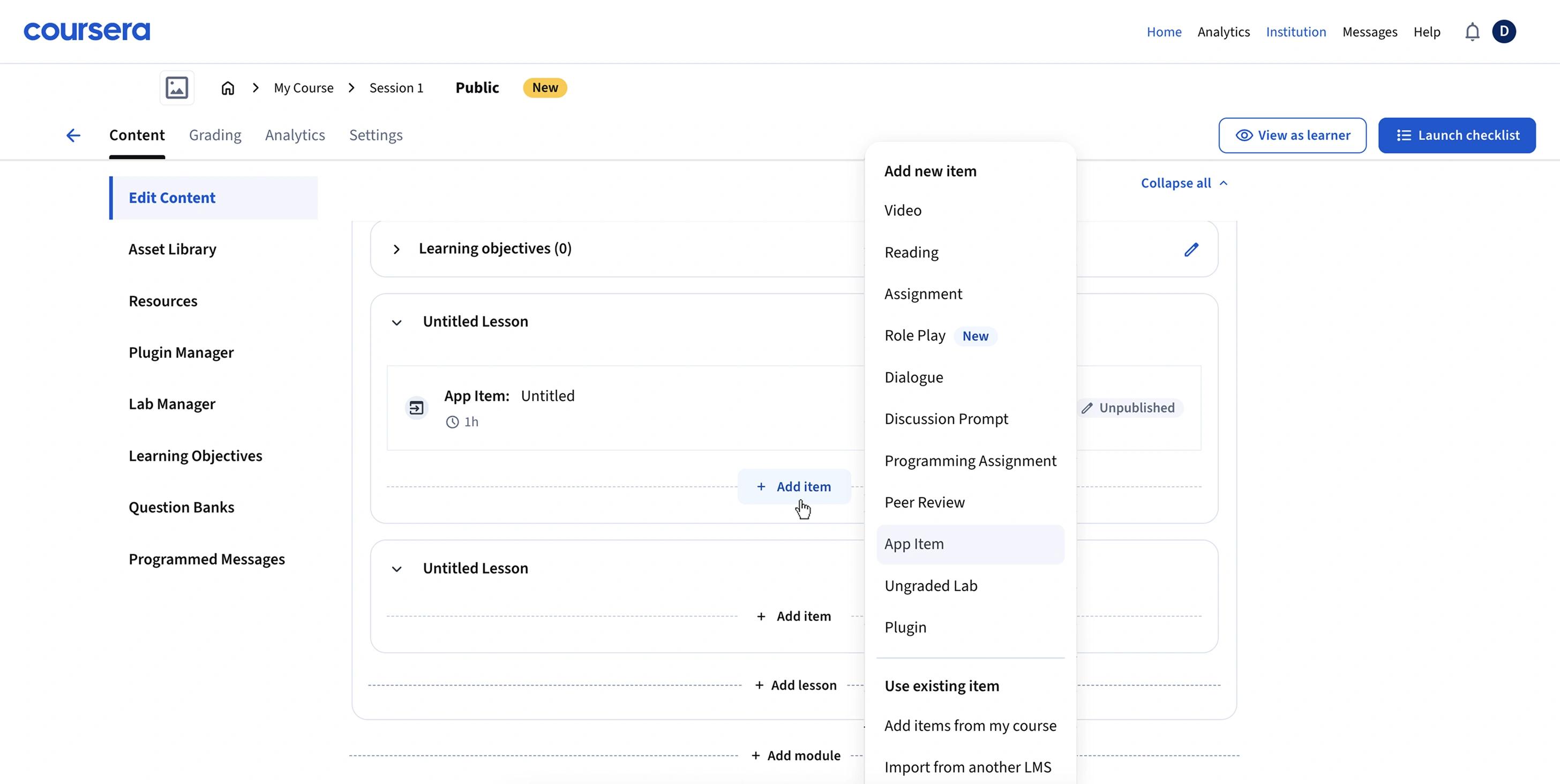
- Select the App you just created (e.g., “Coding Practice”).
Specify which coding tasks to add
Now you can choose to:
- Link the entire course
- Link individual tasks, lessons, and sections from your in-IDE course
You can also link content from any existing JetBrains Academy course.
- Fill in the Learner Instructions to guide students on what to do for this task or section. Example: “Use what you’ve learned in the previous chapter to solve these coding tasks.”
- Keep the Target link URL as is — it will be added automatically by Coursera.
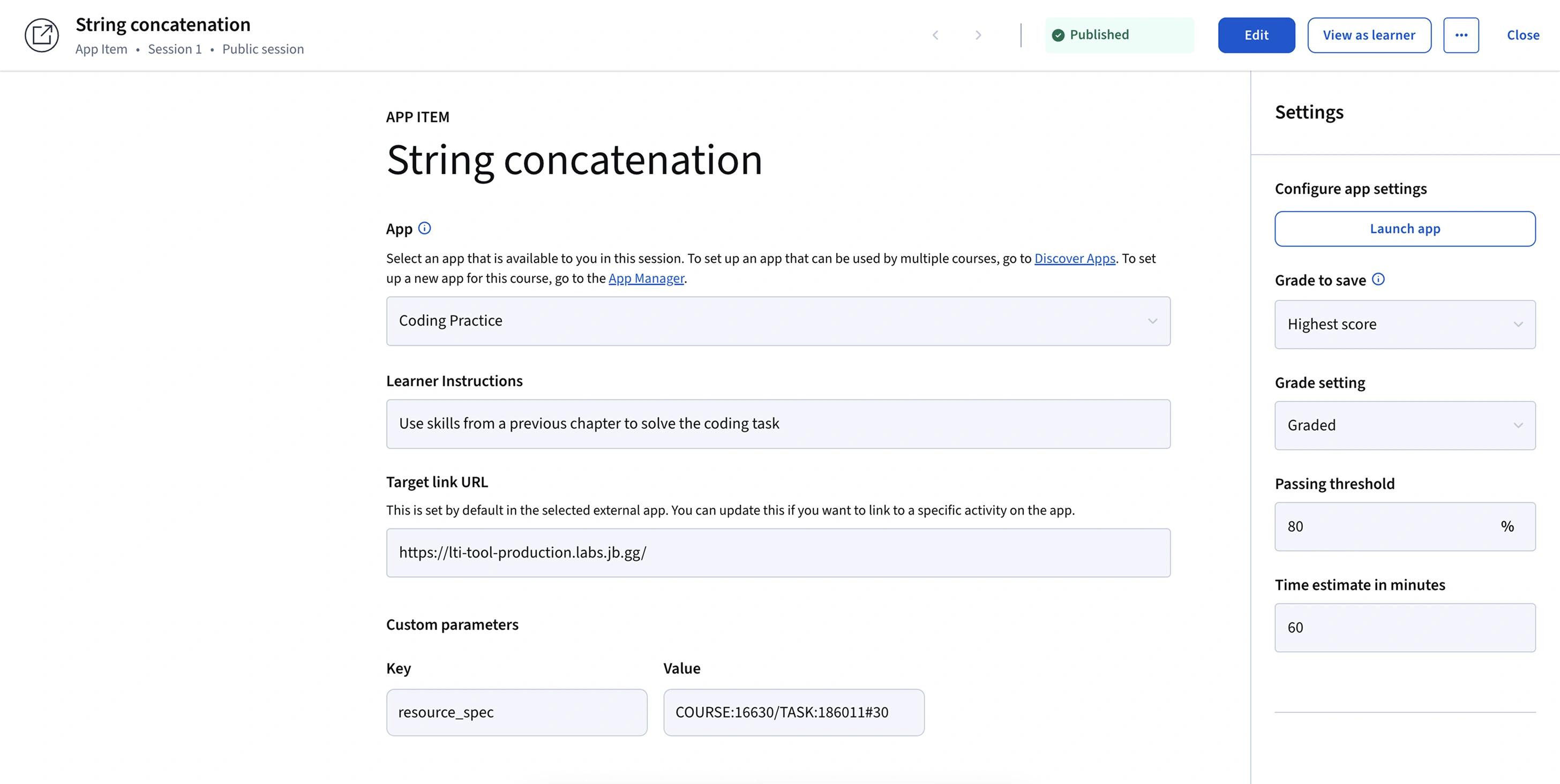
- In Custom parameters, add the resource_spec key specify the exact content you want to link.
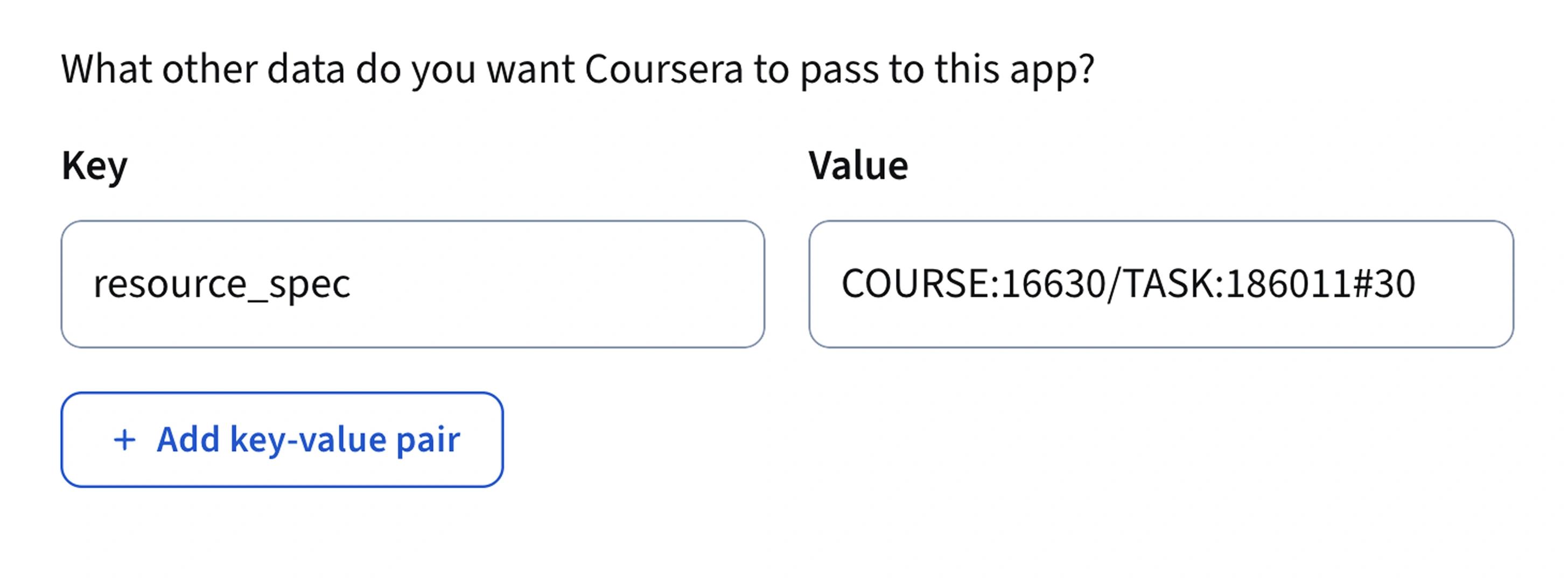
- To find the correct value, open the interactive menu in our guide below and copy the code for your desired course or task
In the App Item settings:
Want to customize additional settings like IDE version or automatic return to Coursera?
Contact us at academy@jetbrains.com – we’ll help you fine-tune it!

- Open the Coursera Apps page in one browser window.
- Open this guide side-by-side. This way, it will be convenient for you to copy values from the guide into Coursera and double-check that each step is done correctly.
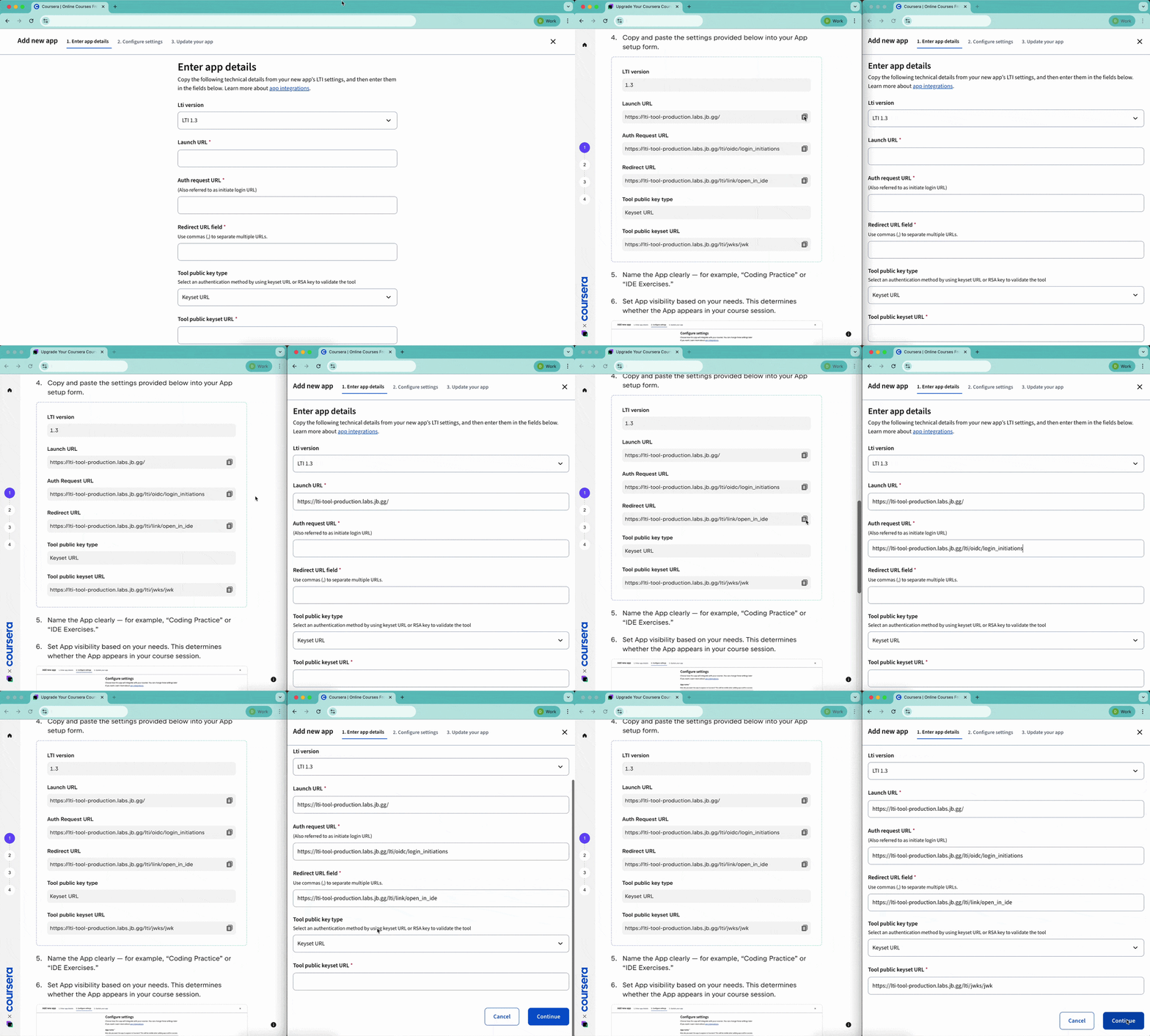
- Follow the steps in the guide to connect JetBrains IDEs via the Apps page.